 Groundwork
 Groundwork / case study
Building a pill counter
The first production Groundwork model counts pills behind a real pharmacy counter. This is the build log — every screen below is the actual tooling, photographed in use, and every number is measured. It is not a medical device: a person verifies every count, and the point of the tooling is to make that verification effortless.
- Day zero: collect before any model exists
- Label without hand-labeling
- Train, and let a frozen holdout do the judging
- What the exam caught that the metrics missed
- Keep the exam honest — and what happens when it saturates
- Ship the same weights everywhere
1 Day zero: collect before any model exists
The hardest part of a vision model is not training — it is having photos from the place the model will actually work. So the Telegram bot works from day zero: before a model exists it simply banks every photo into the fix queue for labelling, and tells you how many are waiting. The moment the first run is trained, the same chat starts answering with counts — and every ✗ Wrong tap routes the photo back into training.
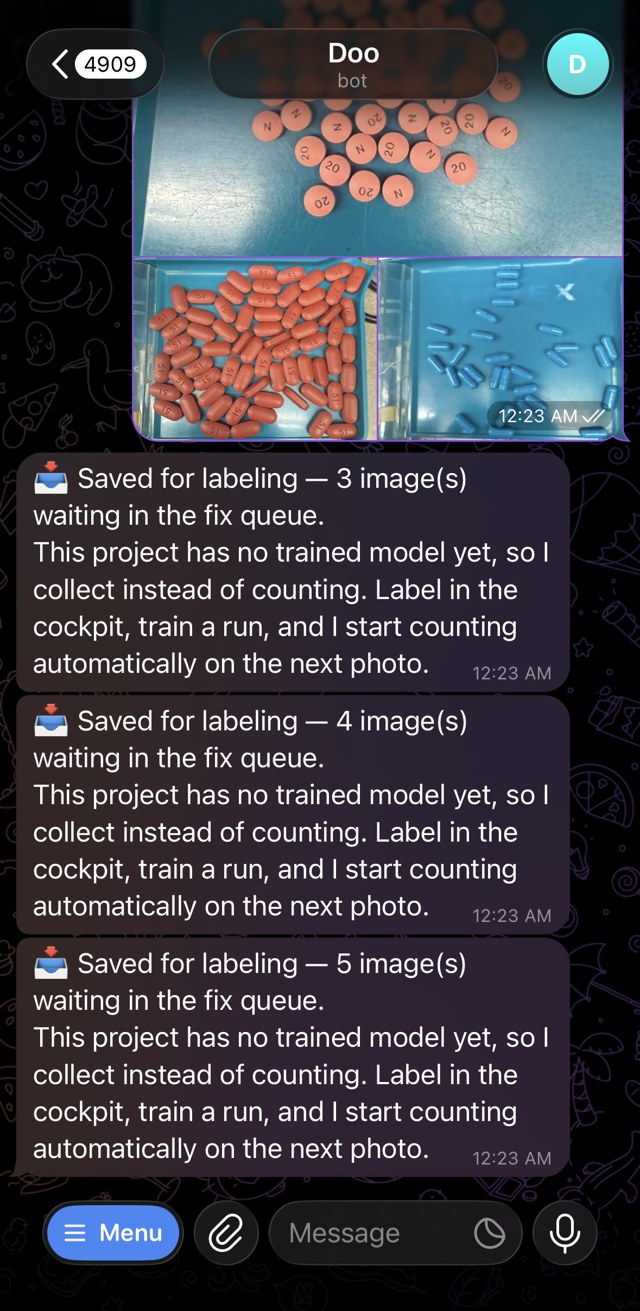
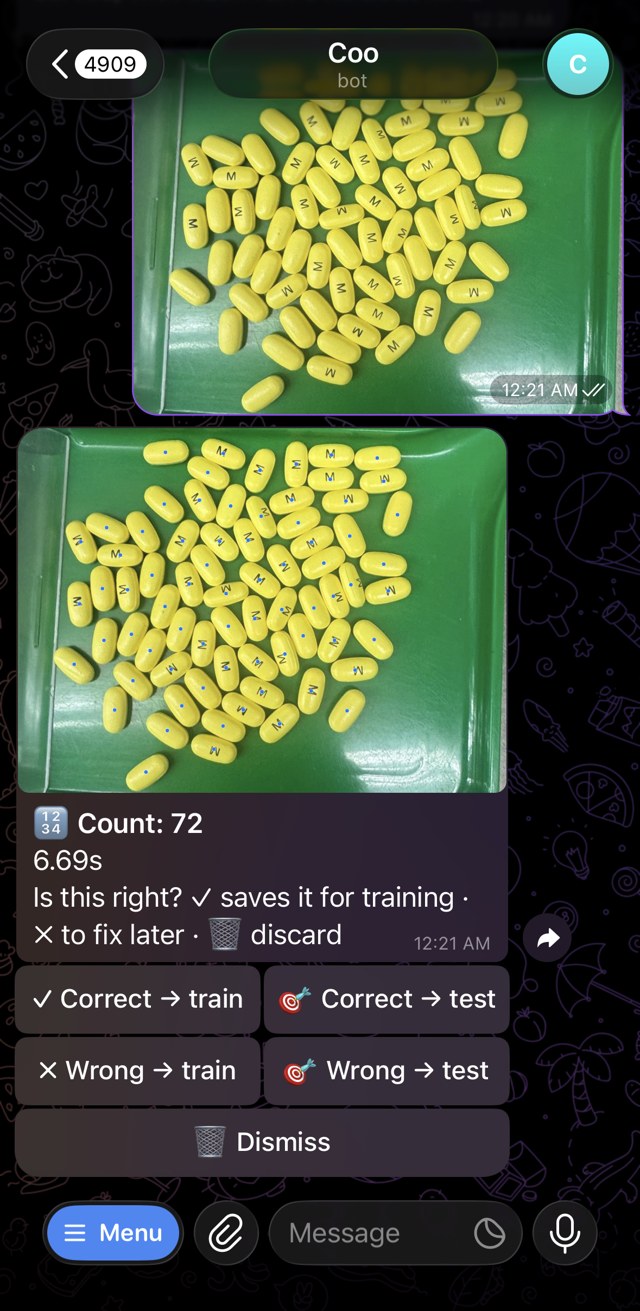
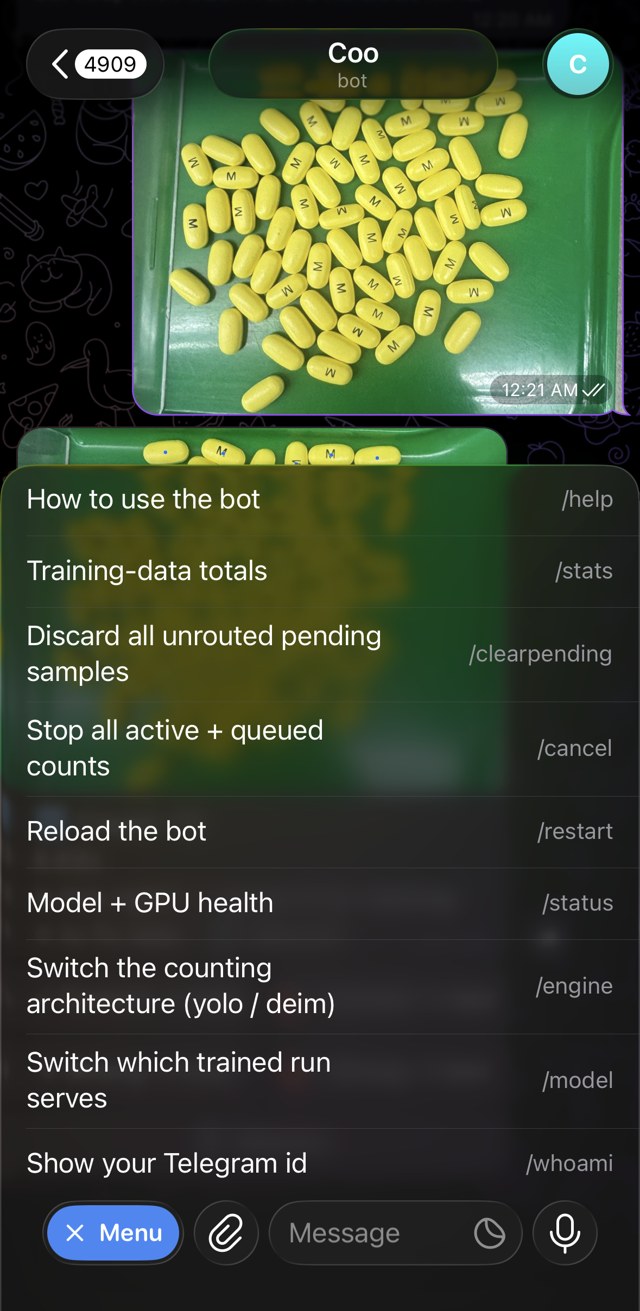
The bench camera photos arrive tightly framed on a tray — that discipline came from the data, not the code, and it is why the collect-verify-correct loop matters more than any single training trick.
2 Label without hand-labeling
Most of these labels were never drawn by hand. A vision-language model — LocateAnything-3B — reads a one-line description of what to count (“Locate all the instances that match the following description: pills.” — swap in bolts, seedlings, rivets) and writes its best guess for every image straight into a correction queue. The 3B model bootstrapped this entire dataset before a person drew a single dot.
So the human job is to verify, not label. Counting marks are dots, not boxes — one click to add a miss, right-click to drop a stray — and the editor converts them to training boxes on save, sized from each dot's nearest neighbours. Compare rings only the marks where the serving model disagrees, so checking a 300-object image means looking at three marks, not three hundred. An image becomes training data only once a person has been through its dots.
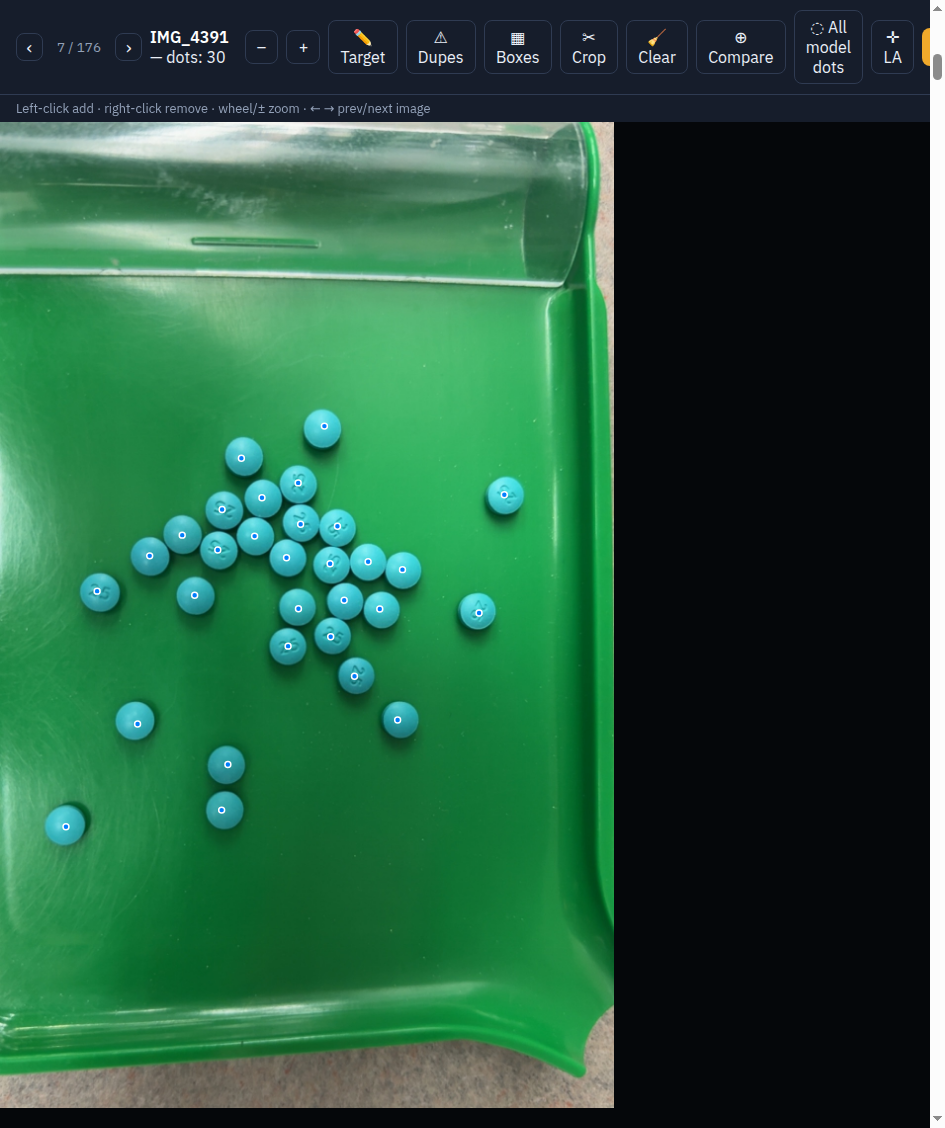
And it compounds: once the counter is good it becomes the next labeler — the pinned model pre-labels fresh photos into a separate pile (never the holdout, never anything a person already checked), so every good run makes the next round of labeling cheaper.
3 Train, and let a frozen holdout do the judging
Every run — the default YOLOv8n and every Apache-licensed challenger — takes the same exam: a frozen holdout of 69 real photos that are never trained on, never synthesized from, and never share a pour or a photo session with the training side. The score that ranks runs is the one the bench cares about: count error per image, not mAP.
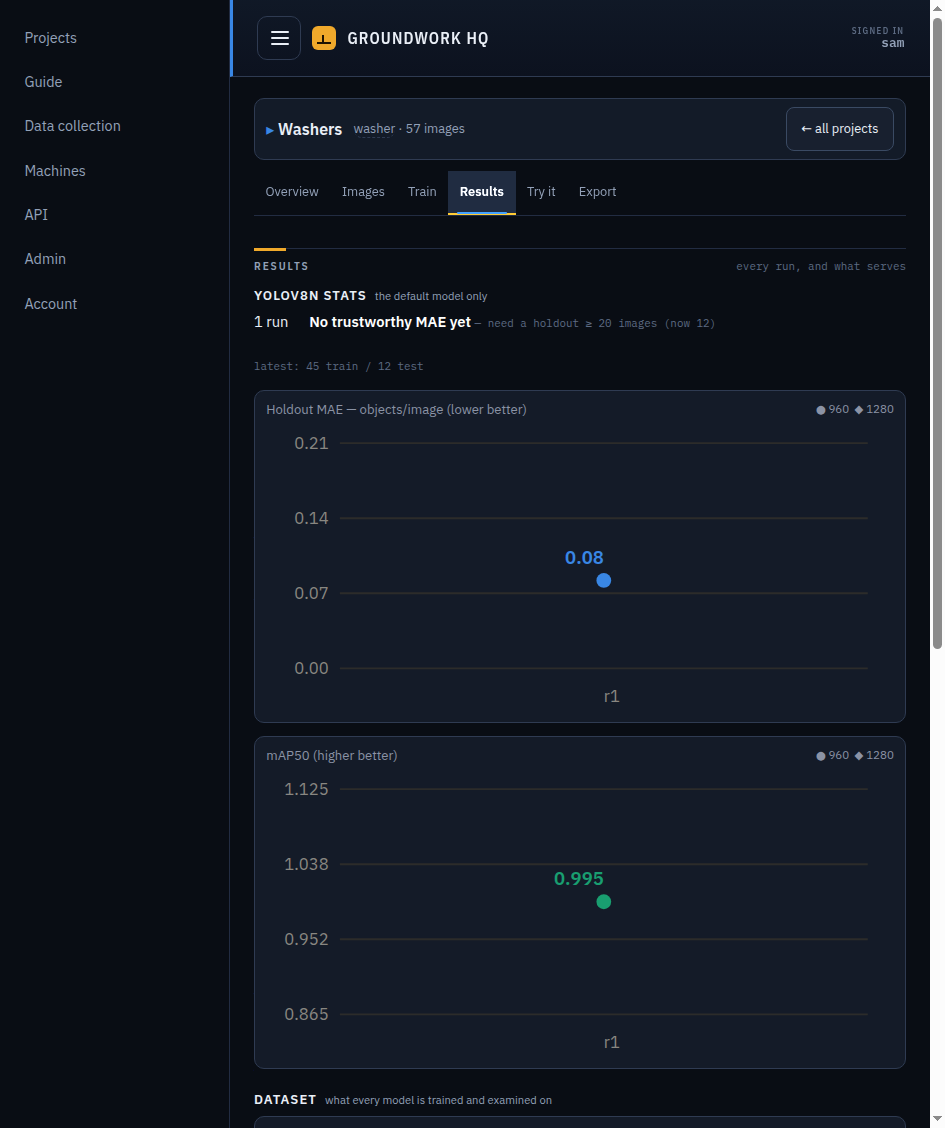
Training ran across two machines — a laptop as HQ and a two-GPU rig as a worker. The cockpit syncs the dataset before every remote run and refuses to train if the sync fails; finished runs are scored on the worker and adopted home automatically, so the ledger of record lives in one place.
4 What the exam caught that the metrics missed
The clearest lesson of the whole project: the challenger with the best mAP of any challenger — a near-perfect 0.978 — was nearly the worst counter, wrong on 27 of 68 photos, scattered up to ±15. mAP integrates over every confidence threshold; counting happens at one. If the ledger had ranked by mAP, that counter would have shipped.
The eval gallery earns its place the same way. Two failures were found by looking at the per-image previews, not by reading numbers: one model invented an object on a scuff mark in the tray's paint, on the same photo, across every seed; another scored zero on the single holdout photo that isn't on a tray at all. Both are data lessons — photograph the ugly trays, photograph off-tray scenes — and both are invisible in any aggregate score.
Rank by the number the bench feels, keep the exam frozen, and look at the pictures. Everything else in Groundwork exists to make those three habits cheap.
5 Keep the exam honest
A frozen holdout is only worth anything if two things stay true: nothing on it ever leaks into training, and the exam never changes underneath you. Those are the house rules — and the third answers the question the chart above begs: if the model aces the exam, do you just add harder photos to it?
- Frozen means frozen.
The holdout photos are chosen once and never trained on, never synthesized from. The same tray — same pour, same photo session — is never on both the training and test sides, so a model can never study for its own exam.
- Rank by the number the bench feels.
Runs are ordered by count error per photo, not mAP — the error a technician would actually notice. Section 4 is what happens when you forget this and trust the aggregate instead.
- When the model outgrows the exam, add a harder tier — never grow the old one.
Adding harder photos to the existing set is the tempting mistake: it changes the exam under every past run, so last month's 0.02 and today's 0.00 stop being comparable — the exact thing the freeze exists to protect. Instead you freeze the current holdout for good and stand a second, harder holdout beside it: heavy capsule mixes, deep stacks, poor light, pills half-hidden at the tray rim — the trays the model actually gets wrong. Old runs keep their comparable scores on tier 1; new runs are judged on both. When tier 2 saturates, tier 3 goes up beside it. A ladder of frozen exams, each harder than the last, none ever edited after the day it is frozen.
- At the floor, one run proves nothing — re-run the recipe at several seeds.
When scores sit within a miscount or two of perfect, the difference between two runs is mostly luck. The test is to train the identical recipe at different random seeds: one challenger config here scored the equivalent of 1, 2, 4 and 2 miscounts across four seeds — a 4× spread from seed alone. That spread is the noise floor, so a “win” smaller than it is not a finding, and a champion is only called perfect when repeat seeds keep landing on zero.
Where this project sits today: the counter hit a perfect zero on the twelfth run and has sat on the floor since, so the current exam has run out of room to separate good runs from great ones. The next move isn't more training — it's the harder tier.
6 Ship the same weights everywhere
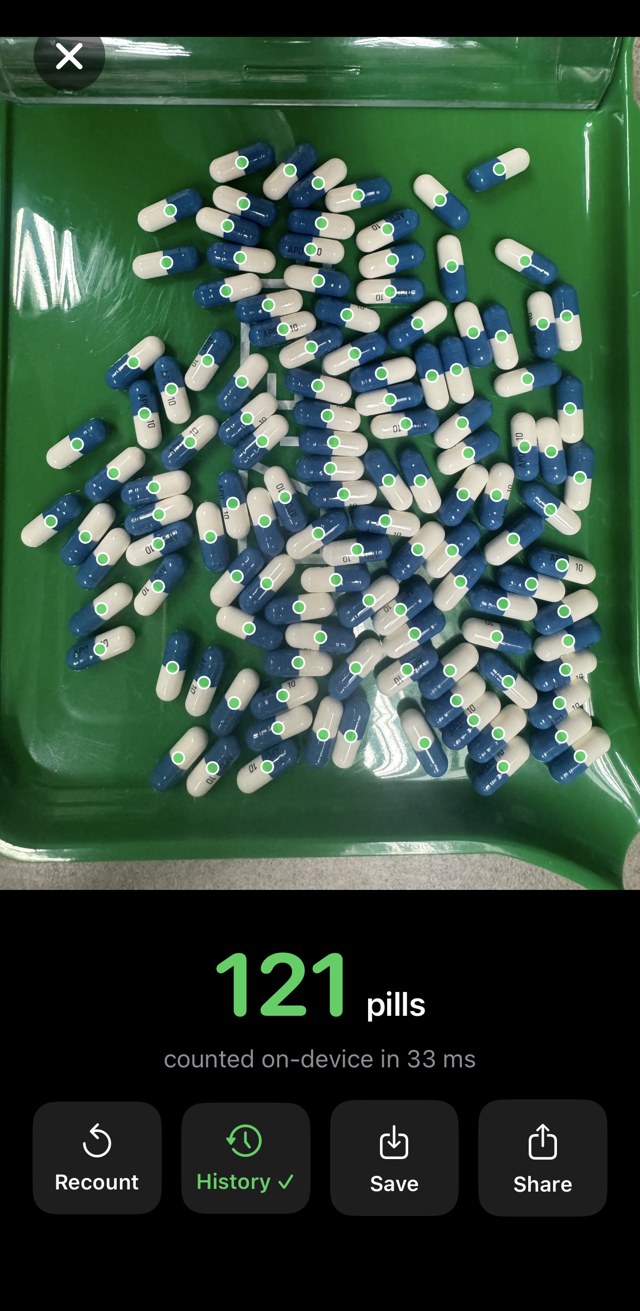
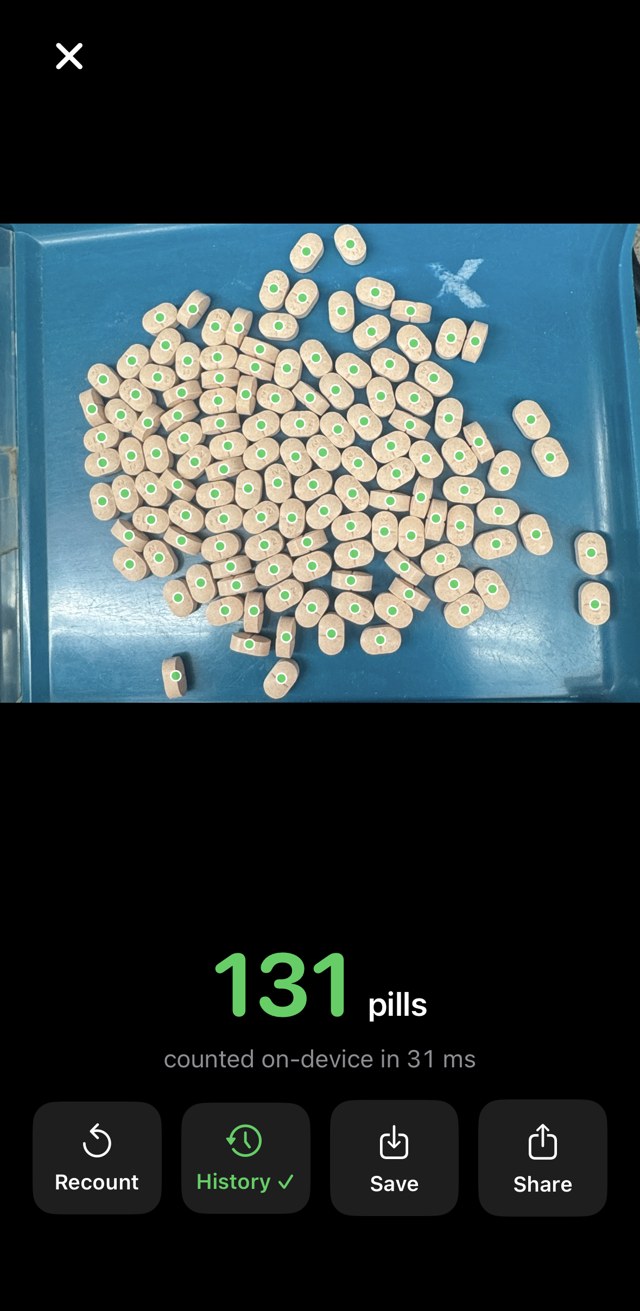
The Export tab turns a run into ONNX, CoreML, TFLite, OpenVINO or TensorRT. The pharmacy runs the same trained weights three ways: the chat bot on the training machine, a CoreML export inside an iOS app, and a live camera on a Raspberry Pi 5 over the bench.
Do this with your own objects
Bolts, seedlings, rivets, blister packs — if you can photograph it on a bench, this loop applies unchanged. One compose file or one shell script, on your own hardware.